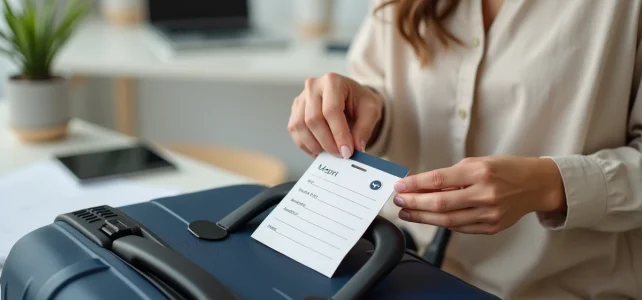
We are preparing a trip from Lyon to Barcelona with a TGV SNCF to the border, followed by a low-cost flight. Two carriers, two baggage rules, and a label that must hold on both segments without tearing in the hold. Most free templates available online cover only one use case. For an intermodal journey, you need to think about dimensions, durability, and readability right from the creation of the PDF file.
Intermodal baggage label: adapting a single template for train, plane, and bus
When combining SNCF train, flight, and sometimes shuttle or long-distance bus, each operator imposes its own expectations for baggage identification. SNCF recommends a readable label with name, first name, phone number, and address. Airlines often require the same information but add the flight number and destination.
For a single luggage label to work on all segments, we plan a template with enough fields. Specifically, the PDF should include: full name, phone number, email, and a blank line for the flight number or train reservation number. This blank line makes a difference because we fill it in with a pen just before each departure.
In terms of dimensions, we aim for a rectangular format about the size of a postcard. If it’s too small, the label becomes unreadable in a baggage carousel. If it’s too large, it folds and gets stuck in the sorting systems in the hold.
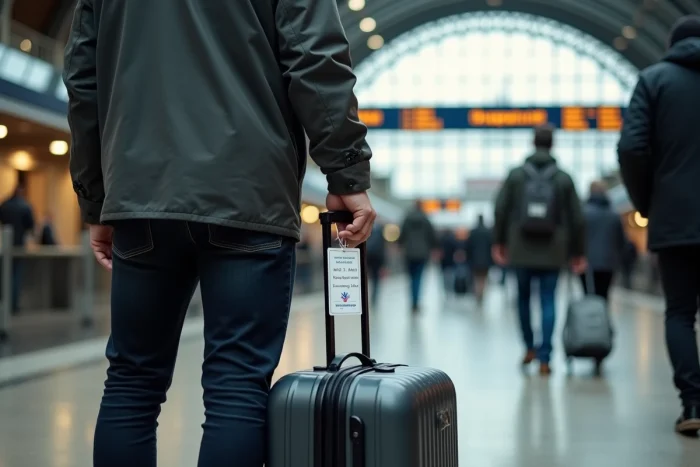
For those looking for a ready-to-use template, the dedicated page for printable luggage labels in PDF for SNCF and airplane brings together several models adapted to these multi-operator constraints.
Creating a sturdy luggage label PDF: paper choice and lamination
The real weak point of home-printed labels is durability. A standard office sheet does not survive a flight hold journey where luggage is exposed to moisture, friction, and repeated handling.
Weight and printing
Printing on dense weight paper changes everything. A Bristol-type cardstock holds up significantly better than a standard sheet. Laser printing is more water-resistant than inkjet printing, whose ink tends to run at the slightest contact with moisture.
Lamination or wide adhesive tape
Hot lamination remains the most reliable protection. If you don’t have a laminator, covering the label with clear packing tape on both sides gives a decent result for a trip of a few days.
- Hot lamination with a dedicated pouch: maximum protection against water and tearing, lasts through several trips
- Wide clear adhesive tape: effective quick-fix solution, needs to be redone for each trip as the edges tend to peel off
- PVC label holder with window: prevents any wear on the paper, attaches with a strap or loop to the suitcase handle
The PVC pouch has an additional advantage: you slide the paper inside and replace it for each trip without having to redo the attachment.
Mandatory information and mistakes to avoid on a baggage label
We regularly see labels with only a first name and a city. In case of lost luggage in the hold or on a train, this information is not enough to be contacted. The minimum for a label to be truly useful:
- Full name (no nicknames)
- Mobile phone number with international code if the journey crosses a border
- Email address, more reliable than a postal address for a traveler on the move
- Destination address (hotel, accommodation) rather than home address, as a precaution
The most common mistake concerns privacy. Avoid displaying your personal address on the visible side of the suitcase, especially on a plane where the luggage passes through many hands. Some PDF templates include a foldable flap that hides the contact details while remaining accessible if the luggage is found by a claims service.
Adapting the content to the mode of transport
For a flight, add the airline code and flight number with a pen on the blank line of the template. For an SNCF journey, note the train number and arrival station. On a long-distance bus like FlixBus, the reservation number allows the driver to locate the owner in case of forgotten luggage in the hold.
Feedback varies on the usefulness of an internal label (slipped inside the suitcase in addition to the visible one). For an intermodal trip with tight connections, this double identification reduces the risk of permanent loss if the external label detaches.
Generating the PDF file: free tools and layout
Several options allow you to create a PDF file without paid software. Online generators like Parchance offer customizable blank templates directly in the browser. You fill in the fields, choose a visual theme, and download the PDF ready to print.
For a more personalized result, Canva (free version) allows you to start from a business card or postcard format, place your information, and export in high-resolution PDF. Exporting in vector PDF ensures a sharp print regardless of the printer used.
With a standard word processor (LibreOffice Writer, Google Docs), you create a table with the desired dimensions, insert the text fields, and export to PDF. This method has the advantage of allowing multiple labels per A4 page, which avoids wasting cardstock.
Whatever the tool, ensure that the text area does not touch the edges of the template. A margin of a few millimeters makes cutting easier and prevents cutting off a letter from the name or a digit from the phone number.
One last practical point: save the PDF file on your phone. If the label deteriorates during the trip, you can reprint it at any printing point or hotel with printer access, without having to recreate the template from scratch.